
No-show recovery
Text delivered • No reply yet
Workflow Use Case
Automate patient communication across reminders, recall, surveys, no-show recovery, and follow-up workflows.
Last updated:
Operational picture
Use triggers, response logic, and task routing to turn messaging into finished work instead of one-way notifications.
Signals
Text delivered • No reply yet
Low score submitted
Patient ready to schedule
How it works
Here is the whole path a case takes, from the moment it shows up to the moment it is done.
01 / Trigger
A visit coming up, a recall that is due, a no-show, or a survey window is what kicks off the outreach.
Every message has a real reason and goes to the right patients.
02 / Messages
Patients get the right sequence of messages by text, by phone, or through the other channels you use.
Patients hear from you on time, not days after it would have helped.
03 / Replies
Confirmations, questions, reschedule requests, and low survey scores each get the right next step, and silence gets a follow-up.
Replies turn into action instead of piling up in an inbox.
04 / Tasks
When a patient needs a person, Calvient makes a task for your team, and when the patient is done, it closes the loop.
Every outreach ends with something settled, not just a message sent.
What operators see
These are the working surfaces that keep the queue understandable, actionable, and measurable.
Workflow queue
Operators can see which communication workflows are active, which patients replied, and which need a human next step.
Recall campaign
12 patients ready for scheduling
No-show recovery
6 cases need live outreach
Survey follow-up
2 low-score responses flagged
Conversations
Staff can see what the patient said, what automation already did, and what needs human attention now.
“I need to reschedule”
Route to access team
“Can I complete forms later?”
Send follow-up instructions
No response after 3 touches
Escalate to call task
Reporting
See which sequences convert, which patients re-engage, and which outreach programs are still underperforming.
Recall outreach
Best completion rate
Survey escalation
Needs faster staff follow-up
Reminder sequences
High response but low reschedule completion
Workflow Views In Product
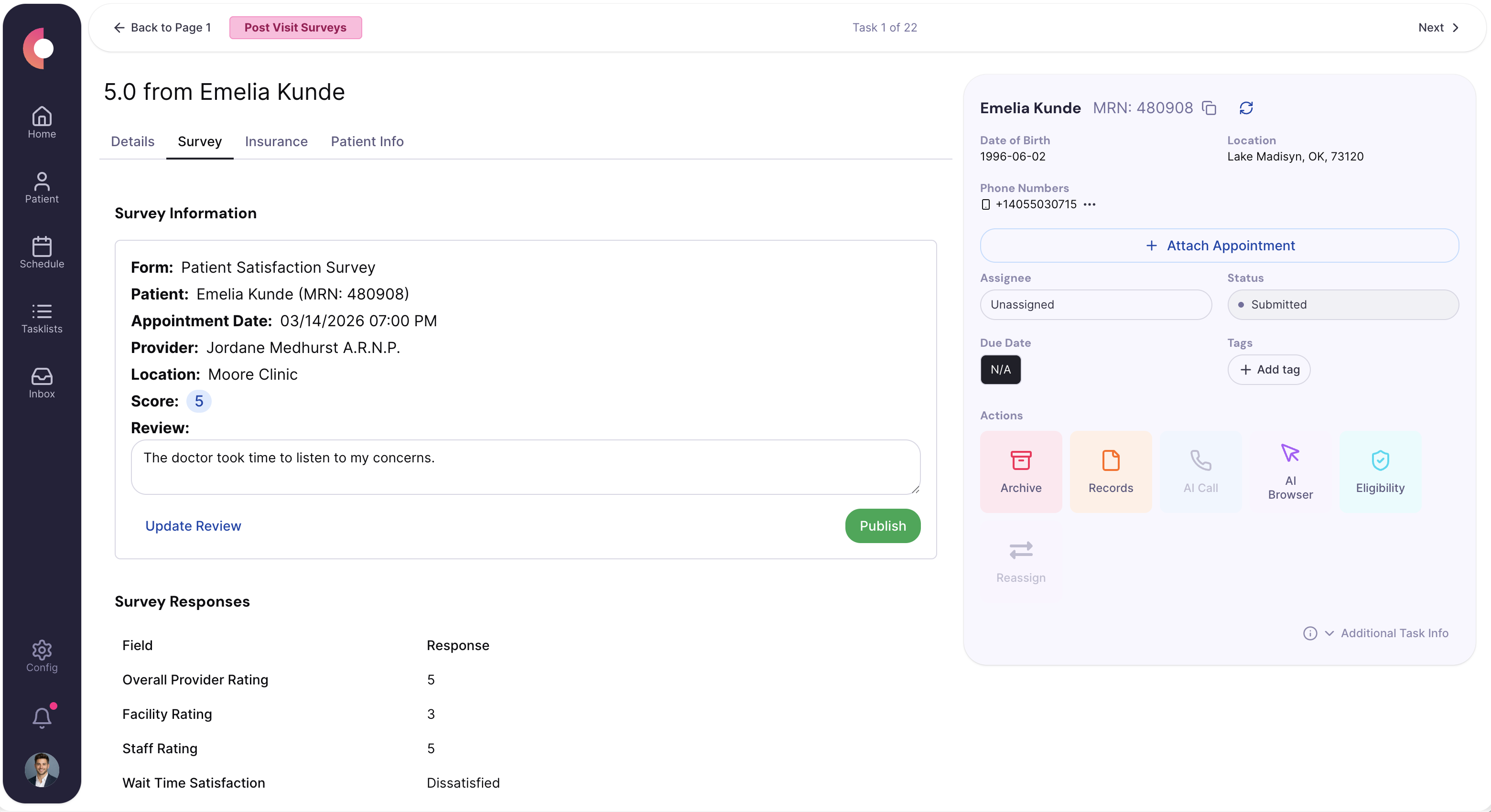
Workflow queue showing campaign, reminder, and escalation states.
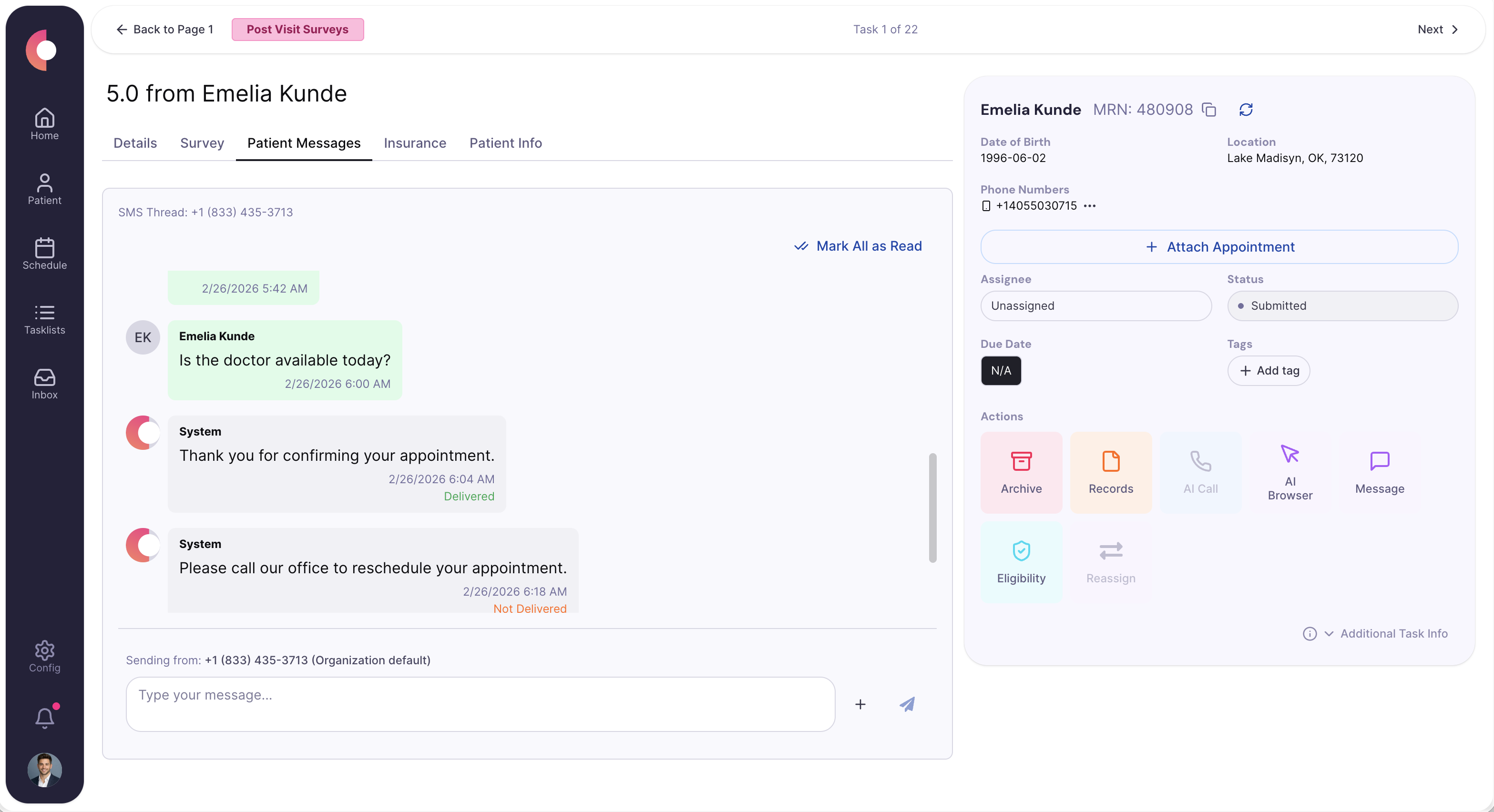
Patient reply thread with the downstream follow-up task visible.
Special Agents
These agents are useful because they handle the repetitive middle of the workflow while leaving sensitive or ambiguous decisions with staff.
Starts the recovery sequence as soon as a visit is missed and keeps the case moving until it is rescheduled or closed.
Trigger
Missed appointment or no-show event
Actions
Handoff
Escalates only when the patient needs direct staff intervention.
Converts feedback into operational follow-up instead of letting low-scoring survey responses sit unseen.
Trigger
Negative survey response or risk keyword
Actions
Handoff
Routes sensitive or urgent responses to the appropriate team queue.
Runs scheduled or triggered recall outreach and branches patients into scheduling, reminders, or close-out paths.
Trigger
Recall list, care-gap logic, or time-based follow-up window
Actions
Handoff
Leaves a clear outcome for each patient instead of an open-ended outreach list.
Operational channels
Patient communication is only useful if it connects directly back to operational work. Calvient ties the message thread to the task queue and outcome state.
Fax
Occasional supporting documents or outside responses tied back into the follow-up case
Text
Reminders, recall messages, surveys, and two-way response handling
Phone
Escalated call attempts, AI-call workflows, and live follow-up when text is not enough
Browser
Appointment or portal actions triggered by patient response workflows
Forms
Survey flows, patient intake updates, and structured response capture
EHR / integrations
Appointment and chart context that determines when outreach should start or stop
Teams that use this
Outreach work usually spans access, front office, and coordination teams. The system needs to know when a message becomes a task.
KPIs / outcomes
The right operating system should make these measures easier to see, easier to improve, and easier to explain to leadership.
KPI
How often patients engage with the communication workflow.
KPI
How often workflows finish with the intended next step completed.
KPI
How many patients actually finish the survey experience you launched.
KPI
How often missed visits are converted into a recovered appointment or closed outcome.
Related use cases
Prepare patients before visits with reminders, paperwork, insurance updates, and appointment coordination.
Centralize inbound and outbound referral work, track status, request missing information, and move patients forward.
Show queue health, backlog, turnaround time, productivity, and automation/reporting metrics.
Calvient handles appointment reminders, no-show recovery, and post-visit surveys with additional workflows configurable as needed. Each workflow type can be triggered by a specific event or schedule rather than requiring manual campaign setup each time.
Non-response can trigger an escalation path, such as an additional message attempt, a different channel, or a staff queue task for live follow-up. The escalation logic is configurable so teams are not manually tracking who has and has not replied.
Yes. Calvient interprets patient replies and routes them down the appropriate next step. A patient who says they need to reschedule can be routed to the access team, while a low survey score triggers a staff follow-up task. Responses become actions rather than inbox noise.
Surveys can be configured to send automatically after a visit based on timing and visit type. When survey collection is active, Calvient can monitor responses and flag low scores for staff follow-up. Cases that need attention can be routed to a task queue with the survey response attached so staff have context before they reach out.
Yes. Recall workflows can be scoped to patient cohorts based on visit history, care gap criteria, or time-based follow-up windows. Calvient runs the outreach cadence, interprets responses, and routes patients who are ready to schedule forward to the access team.
Bring one process. Leave with a launch plan.