
Referral queue
Backlog rising • First action slowing
Workflow Use Case
Give operators and leaders visibility into backlog, turnaround, workload, and automation performance across referral, prior auth, and intake queues.
Last updated:
Operational picture
Calvient exposes queue health, workflow aging, team throughput, and agent behavior so leaders can manage the system instead of guessing.
Signals
Backlog rising • First action slowing
Portal automation covering volume
Stable backlog
New in Calvient
Give your organization a secure AI workspace to ask operational questions, surface answers faster, and move from insight to action inside the platform.
Mission Control
Your agents are standing by. What needs to get done?
How it works
Here is the whole path a case takes, from the moment it shows up to the moment it is done.
01 / Dashboards
Queue status, timing, who touched what, and what the agents did all come together across referrals, auth, and intake.
You get one clear picture instead of piecing it together from five screens.
02 / Alerts
Calvient points out where cases are waiting too long, where a queue is growing, and where handoffs are breaking down.
You catch the problem before it turns into an angry phone call.
03 / Performance
Compare how teams, workflows, referral sources, and payers are doing on the numbers that matter day to day.
You can coach, rebalance, or automate based on what is really happening.
04 / Exports
Use the built-in dashboards for the daily view, then export the data or logs when leadership wants a closer look.
The same reporting works for the front line and for the boardroom.
What operators see
These are the working surfaces that keep the queue understandable, actionable, and measurable.
Dashboard
Supervisors can see which workflows are stable, which are aging, and which are breaking their SLA posture.
Intake
Healthy auto-route coverage
Referrals
Backlog climbing this afternoon
Prior auth
Payer-specific delay pattern
Drilldown
Managers can move from a top-line dashboard into source, queue, payer, or operator-level views without leaving the system.
Referral intake
First-touch slowing on outside faxes
ROI team
Best throughput per FTE
Auth renewals
Needs earlier escalation rule
Observability
When a team asks why something happened, the event trail is visible instead of hidden in someone’s inbox or memory.
Agent action log
Portal submitter completed 18 runs
Communication events
Survey escalation rate rising
Export feed
Weekly ops report generated
Workflow Views In Product
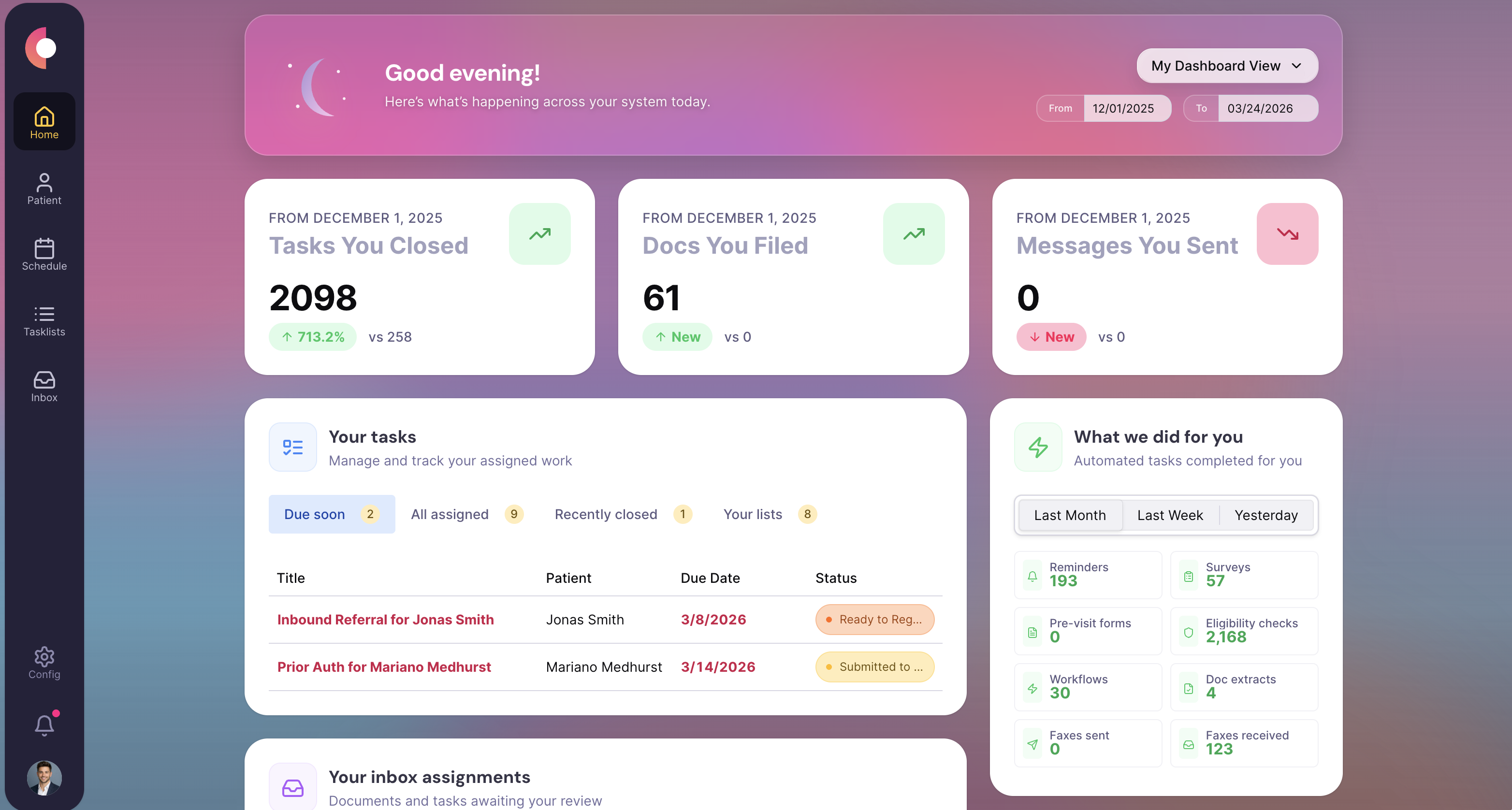
Dashboard with backlog, turnaround, and queue health tiles.
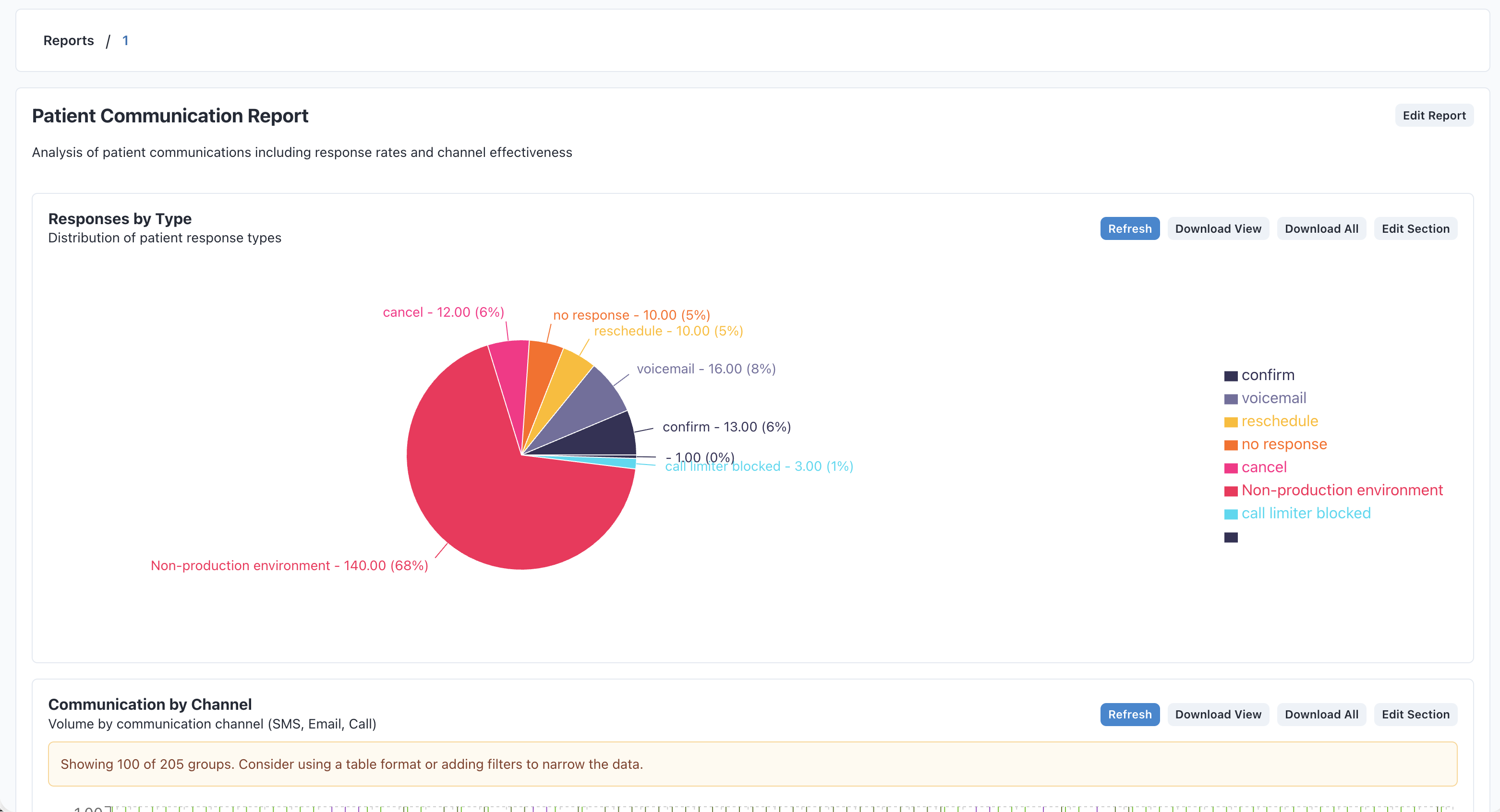
Event view showing agent actions, communication events, and escalations.
Special Agents
These agents are useful because they handle the repetitive middle of the workflow while leaving sensitive or ambiguous decisions with staff.
Warns teams before backlog and aging turn into missed service commitments.
Trigger
Queue items approaching defined SLA or aging threshold
Actions
Handoff
Escalates to supervisors only when the queue truly needs intervention.
Looks for uneven workload and helps teams shift work before one queue becomes a choke point.
Trigger
Queue imbalance, rising backlog, or owner saturation
Actions
Handoff
Provides an operational recommendation instead of leaving managers to discover the issue late.
Uses work patterns and logs to show where repetitive motion is still costing teams time.
Trigger
Repeated manual steps or high-volume exception categories
Actions
Handoff
Gives operators and leaders a concrete path for the next automation decision.
Operational channels
Operational visibility depends on the same signals as operations: communications, queues, browser work, documents, and the chart context behind them.
Fax
See how inbound document volume affects first-touch time and backlog growth
Text
Track reminder, recall, and follow-up response performance
Phone
Understand call outcomes, escalations, and follow-up load
Browser
Observe portal work, agent automation, and manual exception points
Forms
Measure completion, defect, and follow-up patterns on structured workflows
EHR / integrations
Tie queue outcomes back to appointments, patients, and chart activity
Teams that use this
Operations leaders need one version of the truth that works for frontline supervisors and executive reviews without rebuilding spreadsheets every week.
KPIs / outcomes
The right operating system should make these measures easier to see, easier to improve, and easier to explain to leadership.
KPI
Whether queues are stabilizing or getting worse over time.
KPI
How long work takes from intake to meaningful completion.
KPI
How much work teams and workflows are actually closing.
KPI
How much of the workflow is being handled by rules and agents instead of manual effort.
Related use cases
Capture inbound work from fax, email, forms, and other channels, classify it, and route it to the right team and queue.
Handle benefits checks, prior auth submissions, payer portal submissions, status follow-up, and renewals.
Centralize inbound and outbound referral work, track status, request missing information, and move patients forward.
Calvient tracks volume, cycle time, queue depth, and completion rates across workflows such as referrals, prior authorizations, and records. Leaders see where work is moving and where it is stalling without needing to pull reports from multiple systems.
Calvient tracks time elapsed for each work item against configured SLA thresholds. When an item approaches or exceeds its threshold, it is flagged in the leadership view and can trigger escalation to a manager queue.
Performance data is presented in Calvient's operational dashboard. Access is role-based, so leaders see aggregate views while team leads can see queue-level detail. Specific access configurations are set during implementation.
Calvient supports data export for use in external reporting tools. Integration with existing dashboards depends on the tooling in use and is scoped during implementation.
Bring one process. Leave with a launch plan.