
Law office request
Authorization signature unclear
Workflow Use Case
Manage records requests and release workflows from intake through validation, retrieval, and delivery.
Last updated:
Operational picture
Calvient reads inbound requests, validates release state, coordinates retrieval, and tracks secure outbound delivery.
Signals
Authorization signature unclear
Release approved
Delivered securely
How it works
Here is the whole path a case takes, from the moment it shows up to the moment it is done.
01 / Inbox
New records and release requests arrive in one queue, with the requestor, the patient, and what they want attached.
Every request is owned and visible the moment it arrives.
02 / Validation
Calvient checks the signature, the dates, the scope, and who is asking before anyone starts pulling records.
No one assembles a chart for a request that was never valid.
03 / Assembly
Chart sections, outside records, and the supporting documents get gathered into one packet the same way every time.
Putting the packet together is organized and easy to check, not run from memory.
04 / Delivery
Records are sent securely, and what went out, how, and when all get written down before the request is closed.
You have proof of what you sent and a backlog you can keep up with.
What operators see
These are the working surfaces that keep the queue understandable, actionable, and measurable.
Inbox
Operators can sort requests by new, invalid, ready to assemble, delivered, or waiting on clarification.
Attorney request
Signature date mismatch
Patient ROI
Ready for packet assembly
Disability request
Delivered by fax
Tasks
The task view shows which sections still need to be retrieved and which requestors still owe valid paperwork.
Collect operative report
Needs chart retrieval
Request corrected authorization
Fax follow-up sent
Prepare secure delivery
Packet complete
Reporting
Managers can see which request types are aging, how many pages are being processed, and where validation defects are slowing work.
ROI queue
Largest backlog this week
Patient requests
Fastest completion times
Validation defects
Main source of delay
Workflow Views In Product
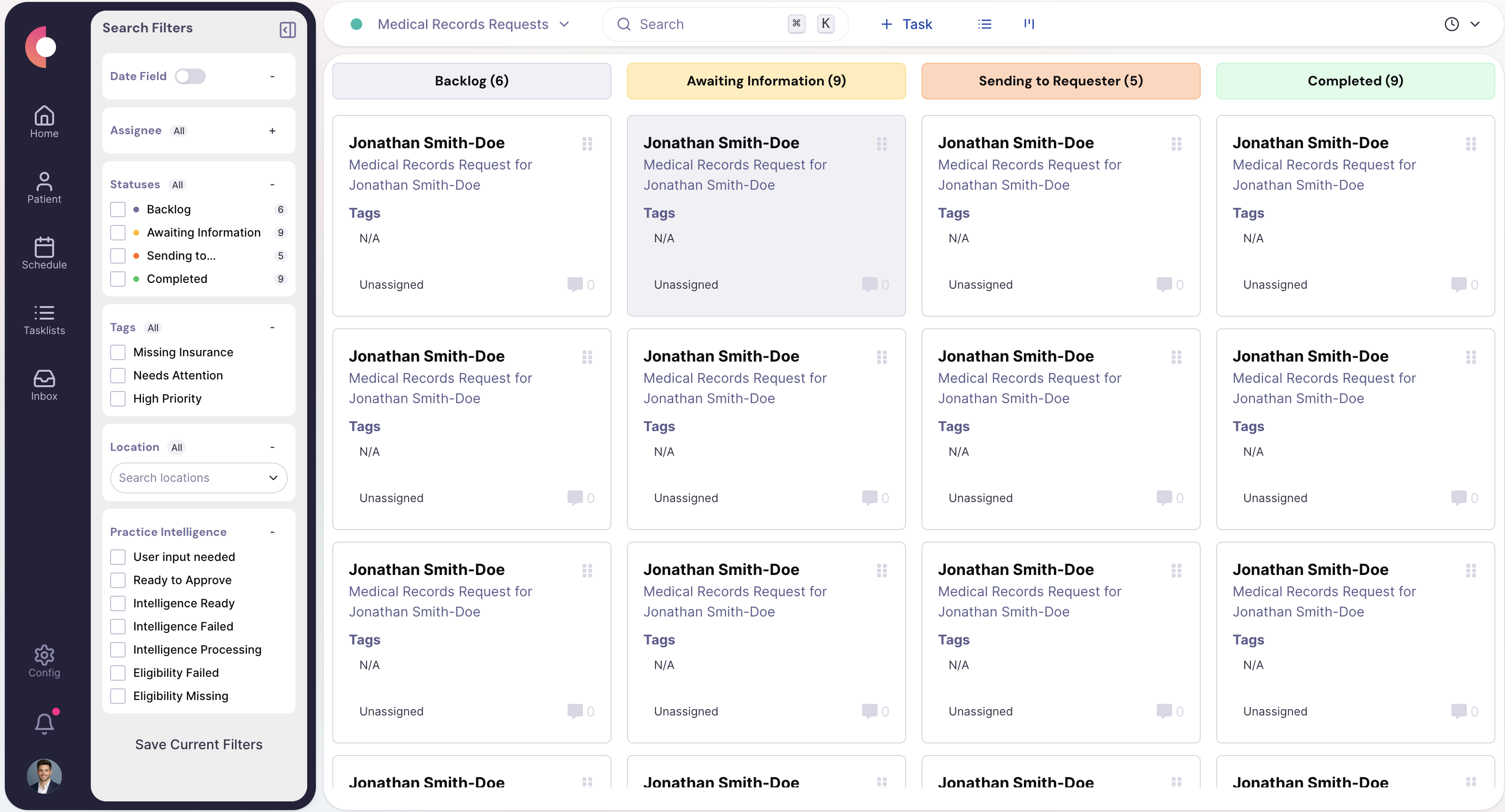
Queue with validation states, aging, and owner assignment.
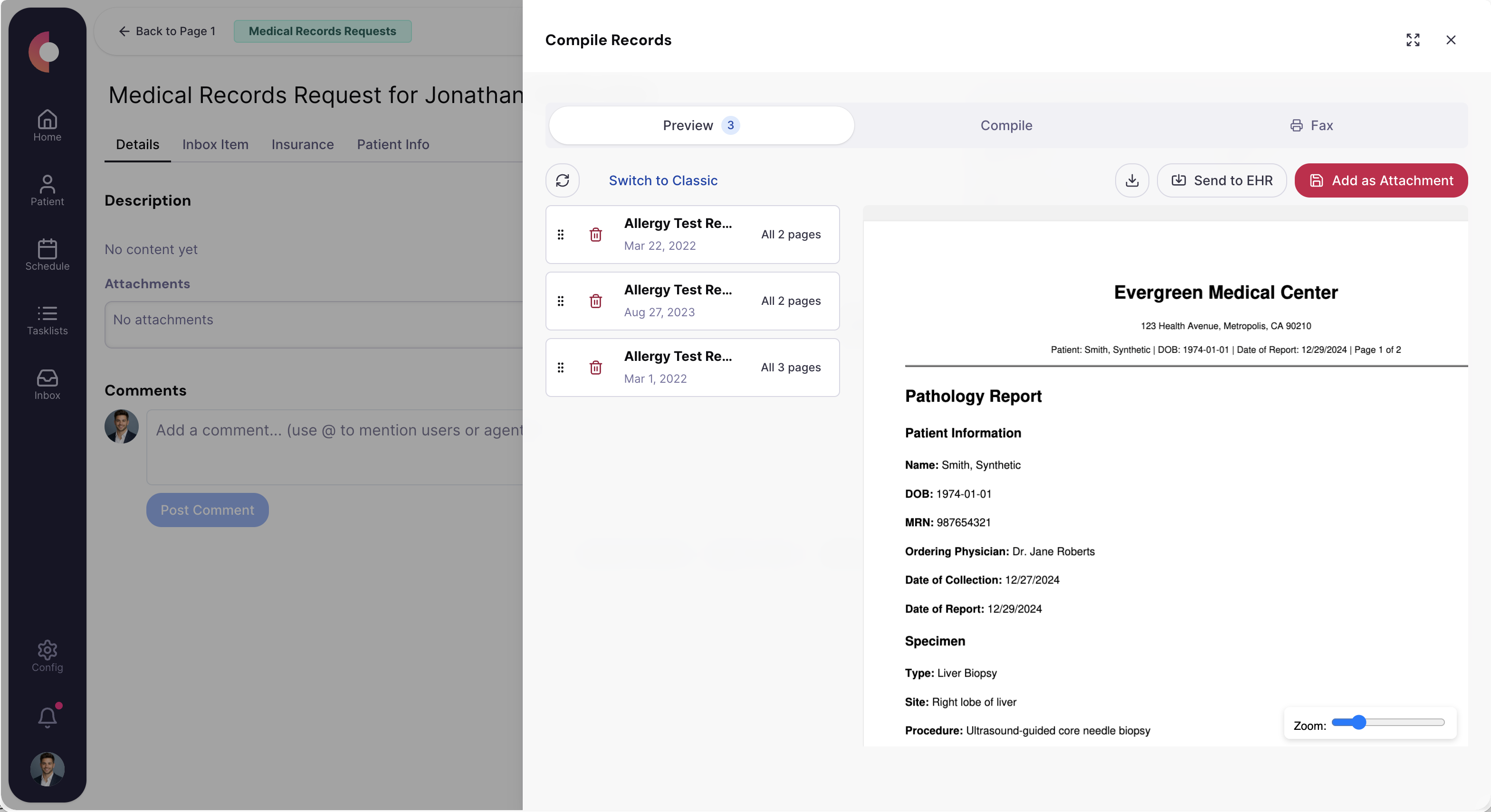
Records case showing checklist, missing items, and delivery state.
Special Agents
These agents are useful because they handle the repetitive middle of the workflow while leaving sensitive or ambiguous decisions with staff.
Checks whether the request is actually ready to be fulfilled before staff spend time on packet retrieval.
Trigger
New request with authorization or release document attached
Actions
Handoff
Routes invalid or ambiguous releases to ROI staff with the issue already named.
Coordinates the retrieval work needed to build the packet instead of leaving staff to manage it from memory.
Trigger
Validated request that is ready for chart assembly
Actions
Handoff
Hands complete packets to the delivery or review owner with the checklist attached.
Keeps requestors and internal teams informed without manual status updates on every case.
Trigger
Validation change, assembly completion, or delivery event
Actions
Handoff
Escalates only when the requestor or workflow falls outside the normal path.
Operational channels
Release-of-information requests still arrive across legacy channels, but the department needs one auditable operating flow from request to delivery.
Fax
Records requests, signed releases, and outbound packet delivery
Text
Limited patient follow-up when clarification or updates are needed
Phone
Clarification calls, requestor follow-up, and exception handling
Browser
Portal retrieval or secure delivery workflows where required
Forms
Digital request intake and release collection
EHR / integrations
Chart retrieval, packet assembly context, and filing
Teams that use this
HIM and ROI teams need a strong audit trail and predictable packet assembly process, not just faster document handling.
KPIs / outcomes
The right operating system should make these measures easier to see, easier to improve, and easier to explain to leadership.
KPI
How quickly requests are fulfilled after valid intake.
KPI
How many records requests remain open and how old they are.
KPI
How often invalid releases or delivery issues force rework.
KPI
How efficiently the team converts open requests into fulfilled packets.
Related use cases
Capture inbound work from fax, email, forms, and other channels, classify it, and route it to the right team and queue.
Centralize inbound and outbound referral work, track status, request missing information, and move patients forward.
Show queue health, backlog, turnaround time, productivity, and automation/reporting metrics.
Calvient handles requests from patients, attorneys, insurance carriers, and other providers. Common request types include continuity of care, legal and disability, insurance audits, and subpoenas. Request type determines routing and handling rules.
Incoming faxes are parsed automatically to identify the requester, patient, and scope of the request. Calvient classifies and queues them without requiring staff to manually read and sort each one.
Each release is logged with the request date, requester identity, authorization status, documents included, dispatch method, and delivery confirmation. The audit trail is available for compliance review without manual reconstruction.
Processing time depends on chart complexity and whether authorization is required. Because requests are parsed, classified, and queued the moment they arrive — instead of waiting for staff to read and sort them — the manual steps in assembly and dispatch shrink to review and approval, which is where most cycle-time reduction comes from.
Yes. Calvient identifies which requests require a signed patient authorization, flags those that are missing it, and holds the release until the authorization is in hand. This prevents inadvertent disclosure and keeps the team compliant.
Bring one process. Leave with a launch plan.